JamSession Theme Documentation
de on aprilie 21, 2013 în News
reCAPTCHA Validation
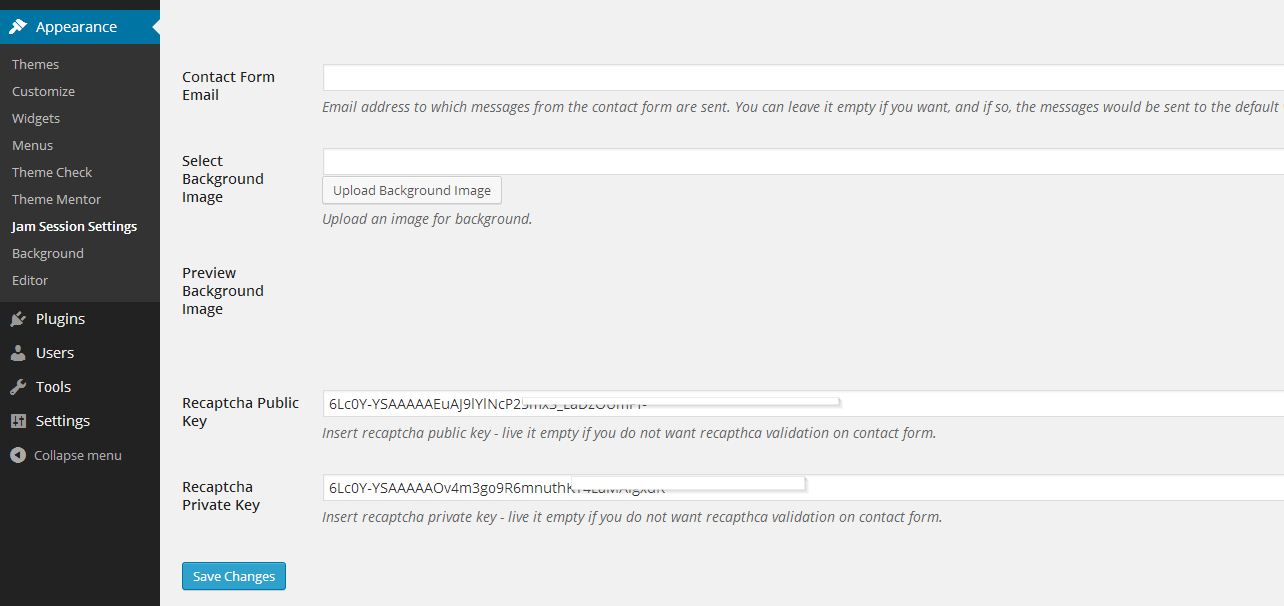
By default, recaptcha validation is disabled. To enable it, you must enter recaptcha public and private key to JamSession settings. Please follow the next steps:
1. Go to Appearance -> JamSession Settings
2. Select the General Options tab
3. At the bottom, insert recaptcha public key and recaptcha private key. You can sign up for recaptcha keys by following this link.
I’ve been looking for a reliable spot to play and this one really hits the mark. The interface is smooth and the payouts are fair. Definitely check out c186game if you want a stress-free experience.